Two weeks ago, I posted on LinkedIn about launching our client, ReDairy, into supermarkets across New Zealand.
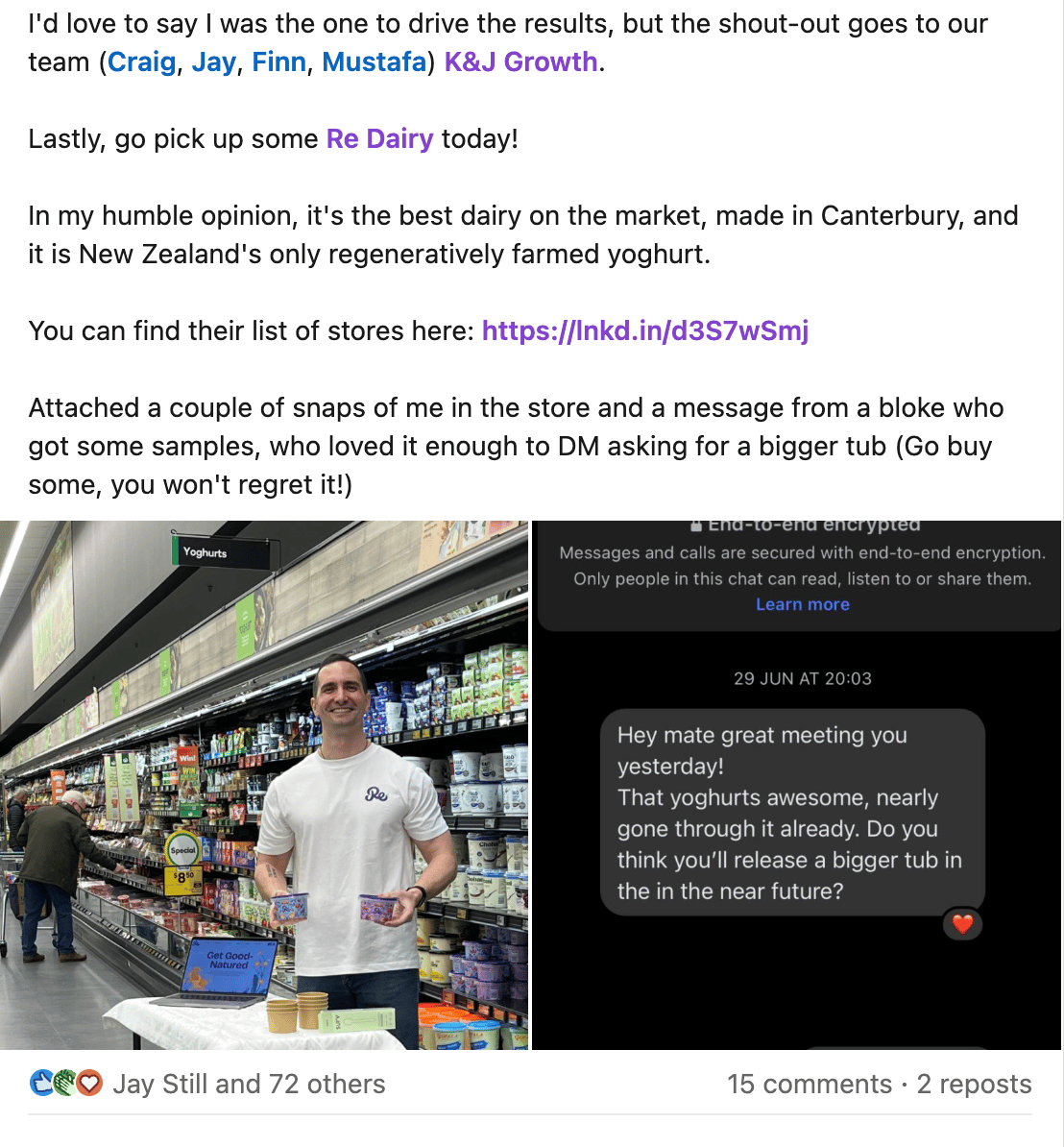
I wanted to leverage the engagement on this post as a lead generator, driving people to our home page and gathering feedback on our redesign.
Here’s how I automated the entire process and generated five new leads in less than 10 minutes.
- Go to We-Connect
- Follow the sign-up process and you’ll land on the home dashboard
- You’ll need to connect your LinkedIn profile, go to:> Settings
> Select “LinkedIn Accounts”
> Select “Add new”
> Follow the rest of the connection process based on your LinkedIn profile settings
> If this process is buggy, reconnect again and refresh - Once your LinkedIn account is connected, select “Campaigns”

LinkedIn Campaign Capture - Now set up your campaign:> Select “+ Add New”
> Select “Smart Sequence”
> Select “LinkedIn Posts”
> Select a recent LinkedIn post and grab the URL and paste it into the box, and name it as a “LinkedIn Post Engagement ”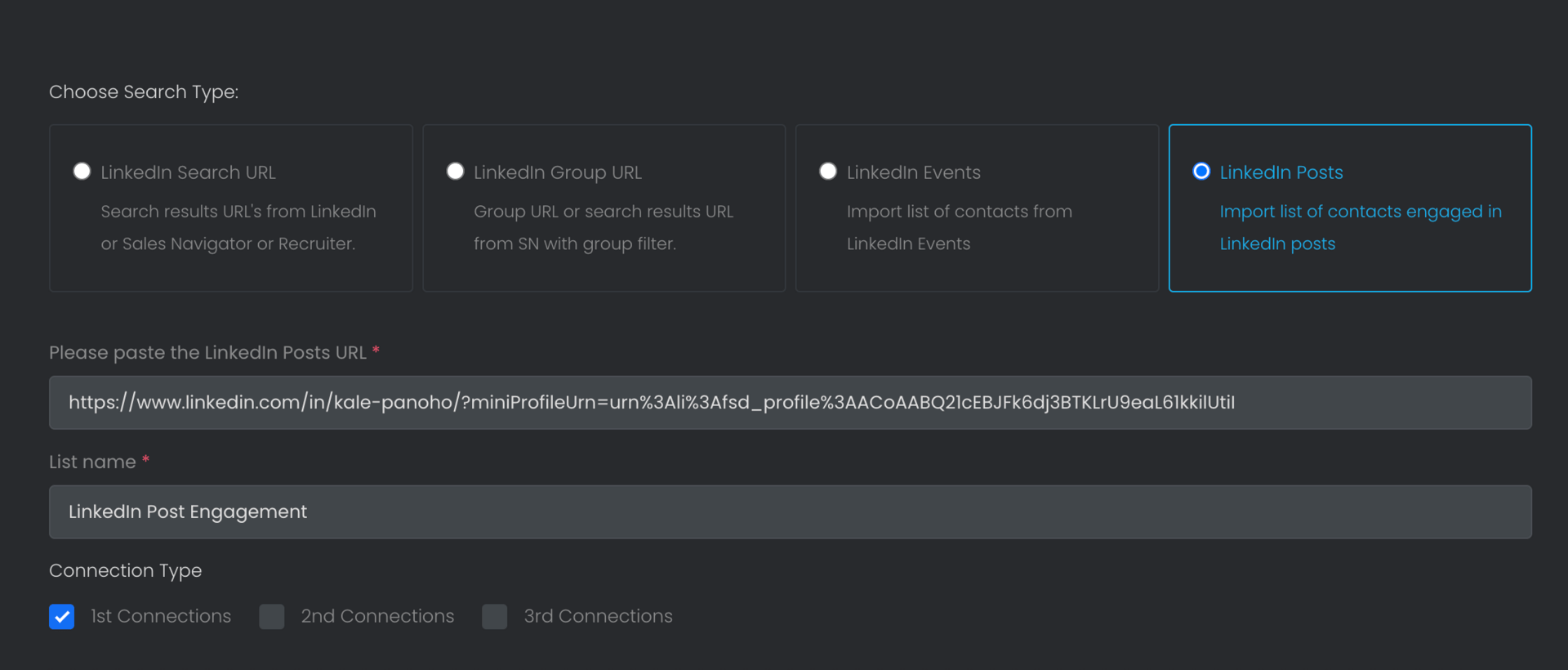
Campaign Set Up > Select 1st connections (This is just people who you are already connected to) or select 2nd connections to send this to people who aren’t linked to you
> Select “Continue”
> Select “Message Connections”
> Fill in the message details – here is what I sent: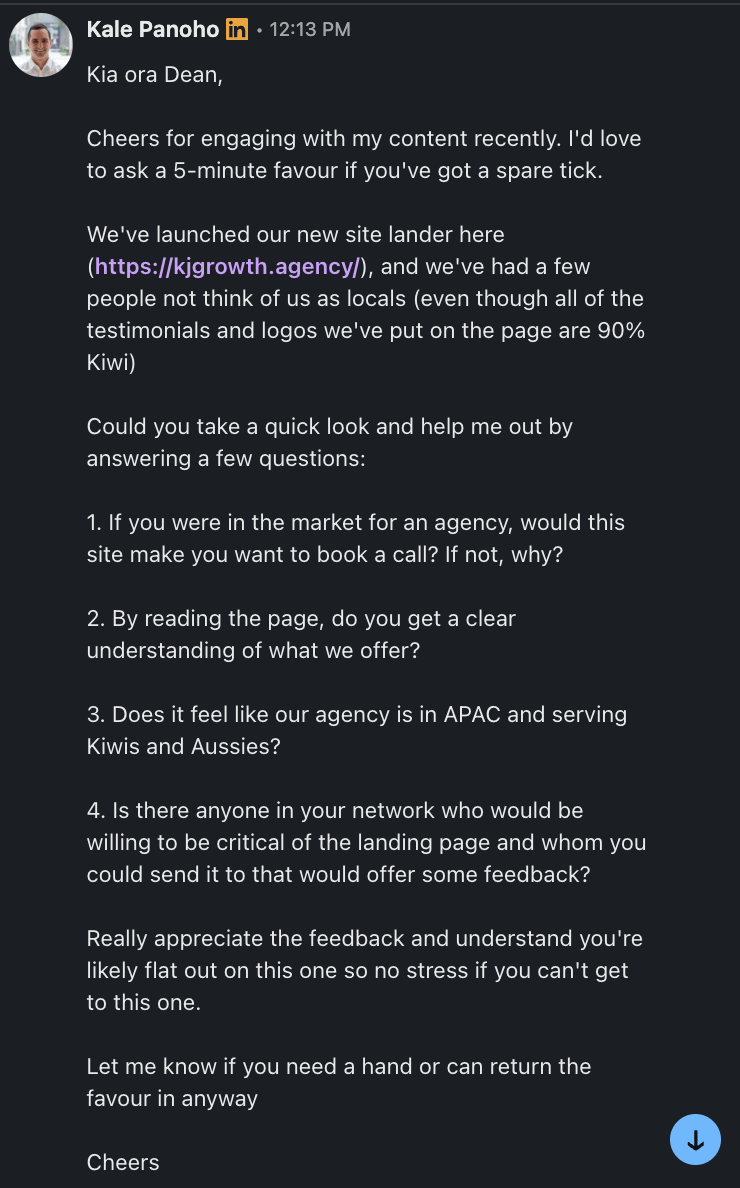
Outbound message based on people who engaged with my posts - Finalise the campaign details:> Select 10 daily action limits & randomise daily actions
> Select “Continue”
> Select “Launch”
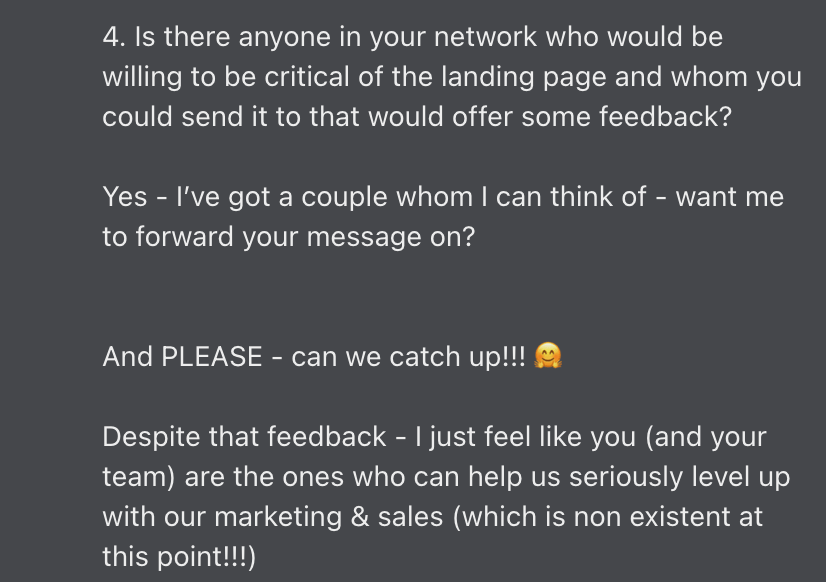
Here are the results so far:
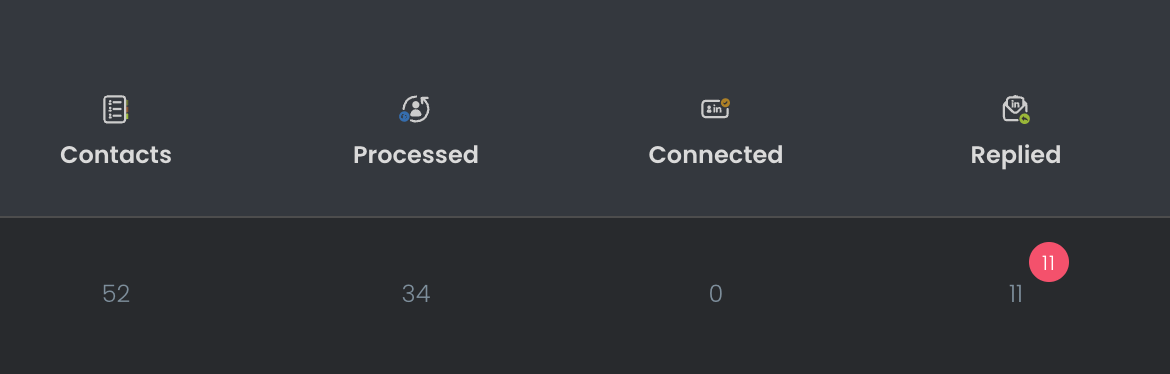
- 11 people have replied
- 4 of those people have turned into leads
P.S.: If you’re new to LinkedIn automation tools like We-Connect, make sure these things are in place before you launch:
- Make sure you have at least 100 connections on LinkedIn
- You’ve been posting regularly for at least 4 weeks
- Your account is at least 3 months old
- All of the above can be done on a free trial of the software and a free trial of LinkedIn Premium.