AI video, for the most part, still isn’t usable for most businesses because the output sort of sucks.
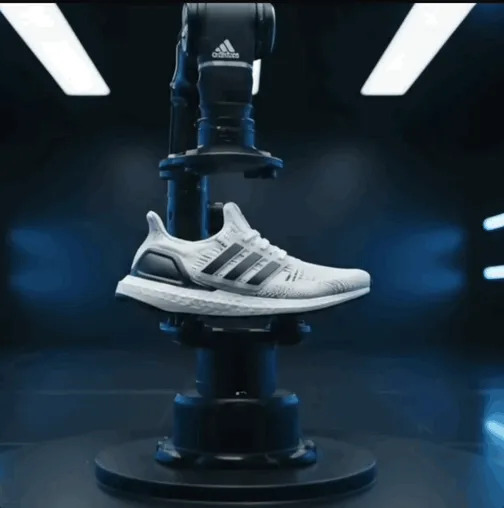
If more of us were achieving results like the video above, I’m sure we’d be adding more of this to our marketing stack.
Fortunately, we’ve been able to replicate more of these outputs for our clients using JSON prompting.
JSON prompting often works better than natural language because it provides structured and unambiguous instructions to AI models.

Here’s how to prompt Veo3 using a JSON format:
- If you haven’t signed up for the discounted version of Google Ultra, the home of Veo3 look at our previous posts on how to do this here
- Once you’ve gotten into Veo, copy and paste this JSON prompt into a Google doc: {“description”: “Cinematic summary of the scene – what happens visually”,
- Go through and edit each line for the outcome you are after e.g “description”: “A scientist in a crisp white lab coat carefully uses a pipette, transferring liquid with steady precision in a modern laboratory.”
- Upload this directly into Veo3
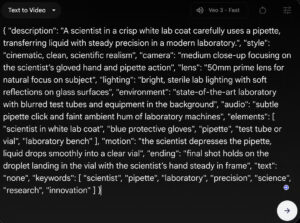
From here, you’ll get a video that is far closer to what you want compared to the generic natural language prompting that people use for these tools today.
Like any business advice, make sure you’ve got an actual use case for this before spending on these tools.